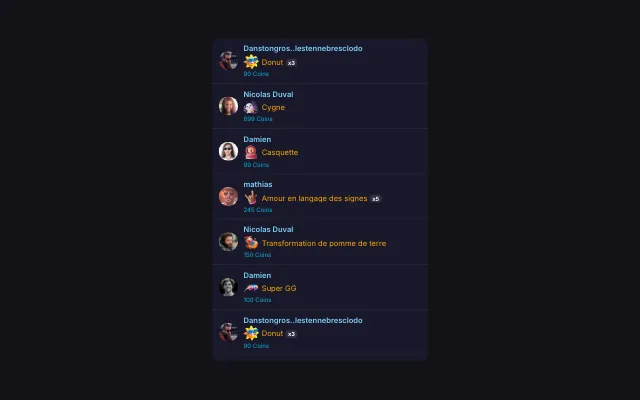
Timed coins leaderboard for TikTok Live
Start a countdown: while it runs, every gift counts toward the coins leaderboard. At the end, a snipe window gives one last chance, then the banner announces the winner.
Download Tik360Nnova.liveLIVE
Live demo of the real overlay. Switch the style to see it change.
What this overlay does
- A challenge with a winner
- Only gifts received during the challenge count, and whoever is first at the end is announced with fireworks.
- Snipe mode
- After the timer, a bonus countdown in alternating colours leaves a few seconds to take the lead.
- Controlled live
- Start, pause or reset from Tik360, or add time with a rule triggered by a gift.
Ideas to use it
- A coins auction to pick the next game
- A ten-minute challenge to win a spot in the match
- An end of live with a named winner
Related video tutorial
Create your first interaction: a Rose sends you to jail
Build a scene, a gift alert and a rule that plays a sound and presses a key in your game when a viewer sends a Rose on TikTok Live.
Create your first interaction: a Rose sends you to jailFrequently asked questions
Does the minimum amount block small gifts?
No. It shows above the timer to announce your rule, but every gift received counts in the leaderboard.
Can something happen when the winner is known?
Yes. Winner revealed and snipe start are overlay reactions: they can play a sound, show an alert or run another action.