Chat and gifts feed overlay for TikTok Live
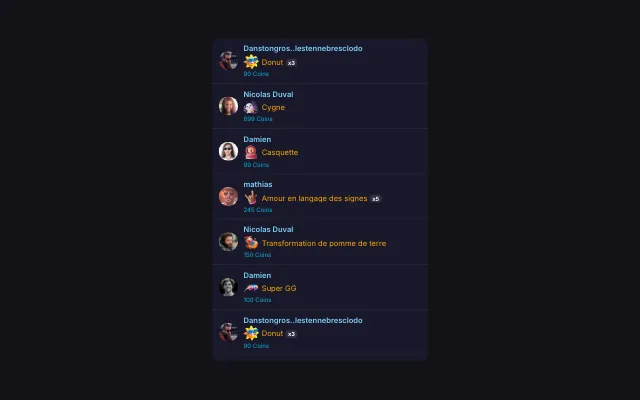
Chat messages, new followers and gifts land in the same feed, in the order of the live. Gifts stand out with their own color, image and coin value.
Download Tik360Nnova.liveLIVE
Live demo of the real overlay.
What this overlay does
- Gifts stand out
- Each gift shows its image, the quantity sent and its coin value, on a colored line.
- One combo, one line
- A combo can stay on a single updated line, or show every send separately.
- A coin minimum
- Set a minimum value so small gifts do not flood the feed.
Ideas to use it
- Follow chat and gifts at a glance during a game
- Thank every gifter without missing a message
- Replace two overlays with one on screen
Related video tutorial
Getting started with Tik360 on TikTok Live
Install Tik360, create your account, connect your TikTok live and discover scenes, presets, overlays, TTS and statistics in 2 minutes.
Getting started with Tik360 on TikTok LiveFrequently asked questions
How is it different from the live chat?
The live chat shows messages and follows. The chat and gifts feed adds gifts to the same feed.
Can I hide the coin value?
Yes. The coin value, gift image, profile pictures, badges and time can each be turned on or off.