Live chat overlay for TikTok Live
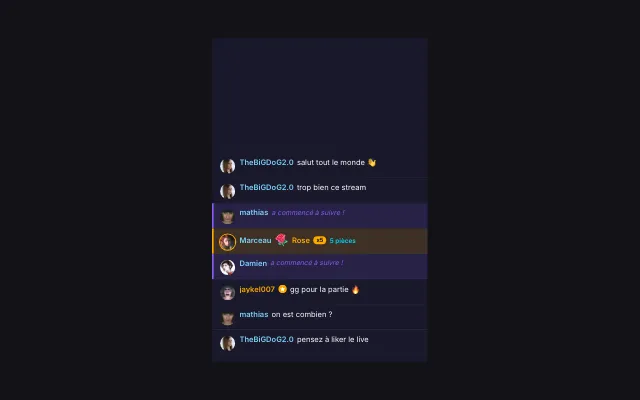
The overlay shows your live chat messages in your video as they come in. New followers can also be announced between messages.
Download Tik360Nnova.liveLIVE
Live demo of the real overlay.
What this overlay does
- Profile pictures and badges
- Each message can show the viewer's avatar and TikTok badges, such as moderator or subscriber.
- One color per role
- Moderators, subscribers and other viewers each get their own username color.
- Adjustable display
- Font, text size, background, opacity, message time and the number of messages kept are set in the overlay.
Ideas to use it
- Keep the chat visible in your live recordings
- Show the TikTok chat in an OBS scene
- Spot moderator messages at a glance
Related video tutorial
Getting started with Tik360 on TikTok Live
Install Tik360, create your account, connect your TikTok live and discover scenes, presets, overlays, TTS and statistics in 2 minutes.
Getting started with Tik360 on TikTok LiveFrequently asked questions
How do I add the live chat to OBS?
Create the overlay in Tik360, copy its link and add it as a browser source in OBS or as a link in TikTok LIVE Studio.
Can I clear the displayed messages?
Yes. During the live, the Clear button on the overlay card in Tik360 empties the display without touching the TikTok chat.