Member card for TikTok Live
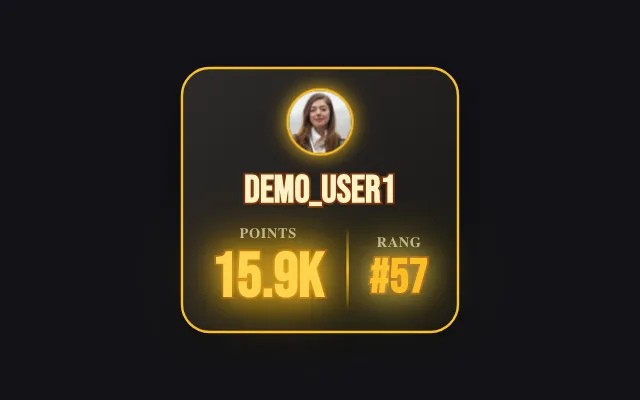
The member card puts a viewer on screen with their history on your channel: their rank, the coins and likes they sent, the lives they watched and when they first came. It shows up when a ranked viewer joins the live, or on a chat command through your rules.
Download Tik360Nnova.liveLIVE
Live demo of the real overlay. Switch the style to see it change.
What this overlay does
- The viewer's stats
- Points rank, coins sent, likes and likes rank, lives watched: each element can be shown or hidden.
- On arrival or on command
- By default the card appears when a ranked viewer joins the live, and a rule can also launch it on a chat keyword.
- Four card styles
- Holographic collector card, Outline, Manga Impact or Sticker, with the accent color and display time you choose.
Ideas to use it
- Welcome your regulars when they join the live
- Let every viewer show their card with a command
- Show who has supported the channel from the start
Related video tutorial
Create your first interaction: a Rose sends you to jail
Build a scene, a gift alert and a rule that plays a sound and presses a key in your game when a viewer sends a Rose on TikTok Live.
Create your first interaction: a Rose sends you to jailFrequently asked questions
Where do the numbers on the card come from?
Tik360 records your viewers' gifts, likes and attendance during your lives: the card uses that history.
How do I show the card with a chat command?
Create a rule triggered by a chat keyword and pick the member card as the reaction: it shows the card of the viewer who typed it.