Copy or share a scene with its dependencies
Reuse rules and overlays in another scene, or send them to another streamer, without forgetting anything along the way.
Screenshots are still in French for now; the bold names in the text are the ones from the English app.
Prerequisite: a scene with at least one rule · ⏱️ 3 min
1. Choose what to export
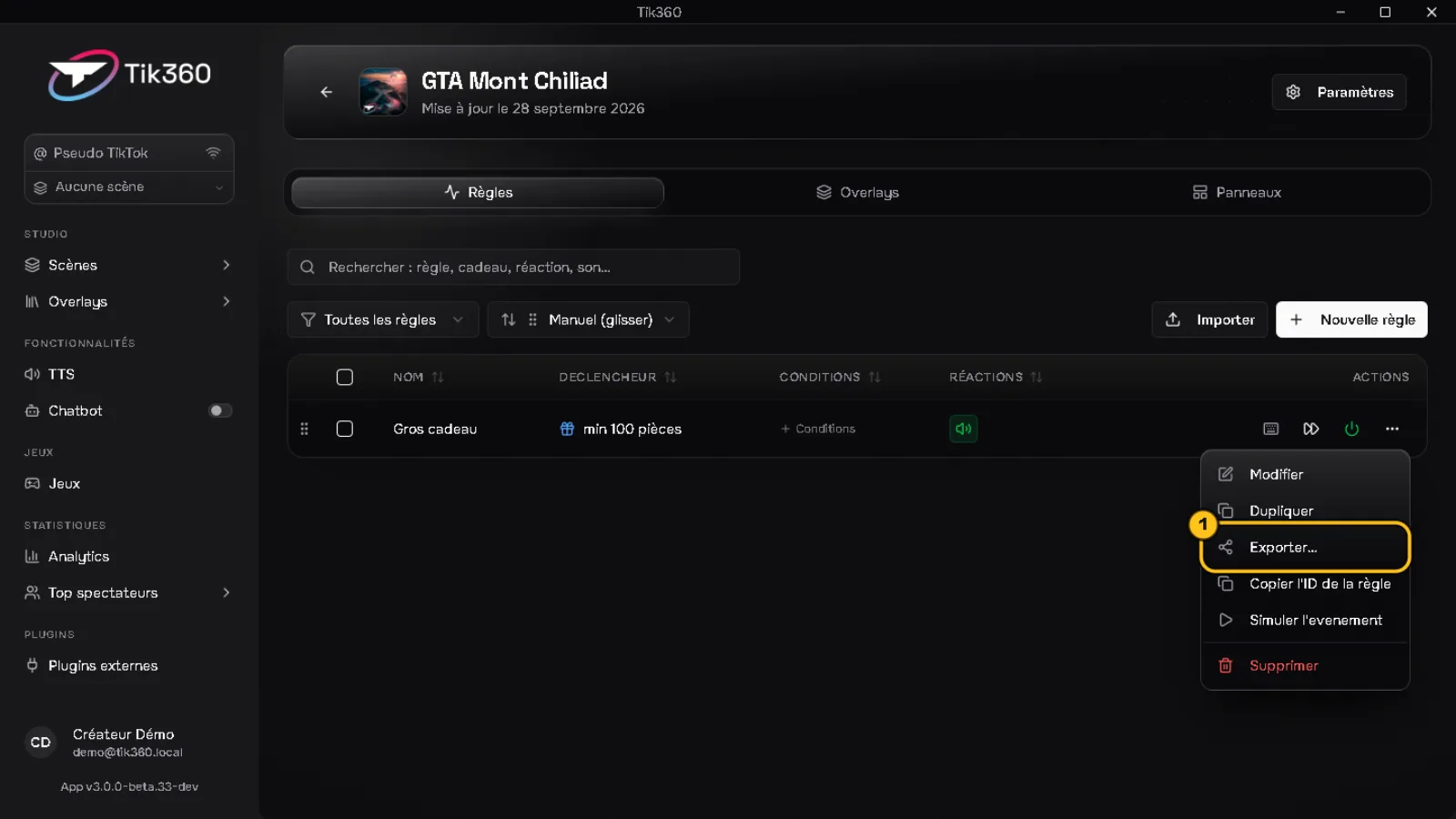
In the scene's Rules (or Overlays) tab, open an item's ⋯ menu → Export… ①.
To export several, check them then click Export in the toolbar.
🔗 Linked items (the overlay driven by a rule, for example) are included automatically.
2a. Copy to one of your scenes
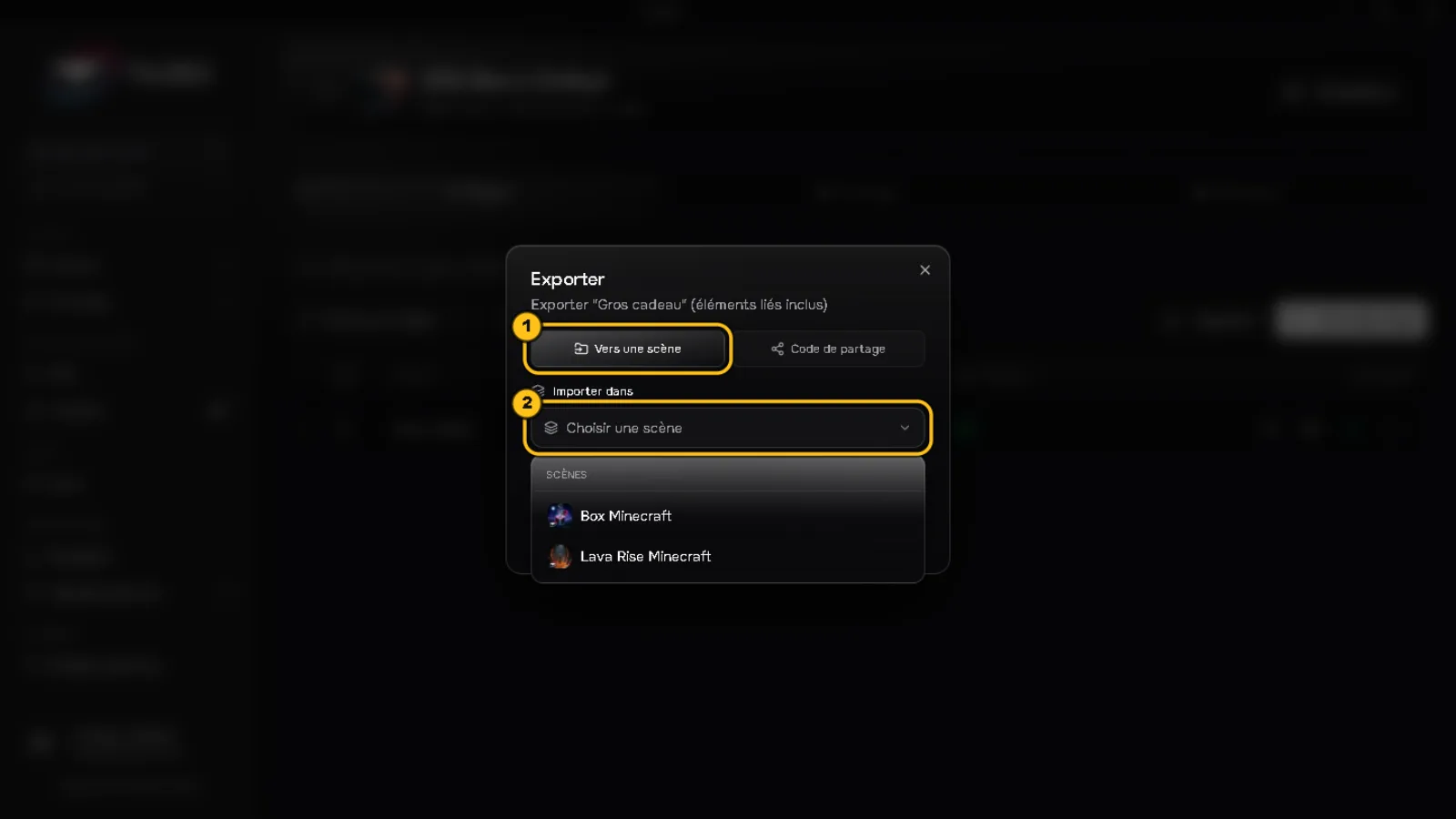
To a scene ① mode → choose one or more scenes ② → Copy.
2b. Share with another account
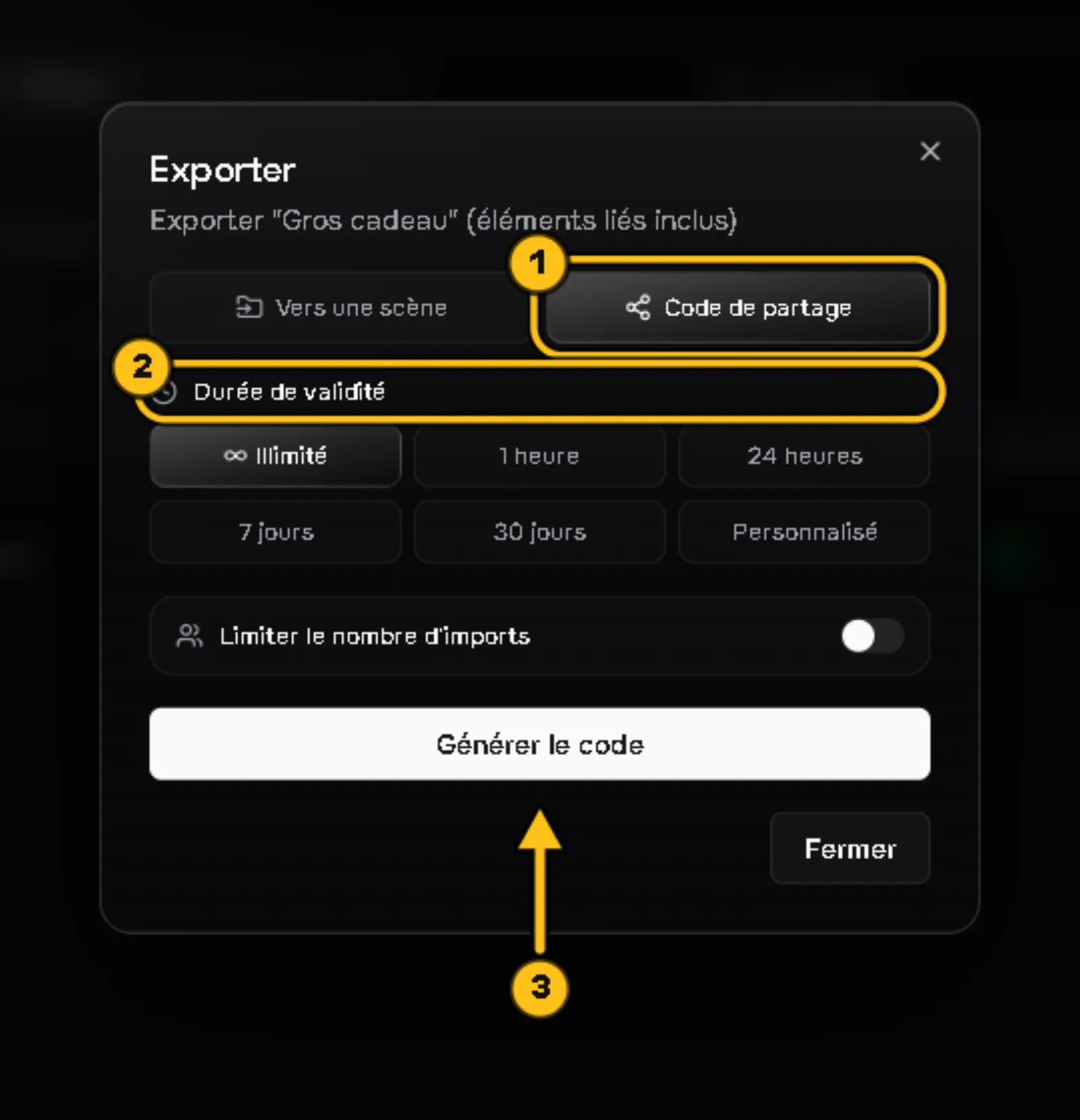
Share code ① mode → choose the validity duration ② (Unlimited, 1 hour... or Custom), limit the number of imports if needed, then Generate code ③.
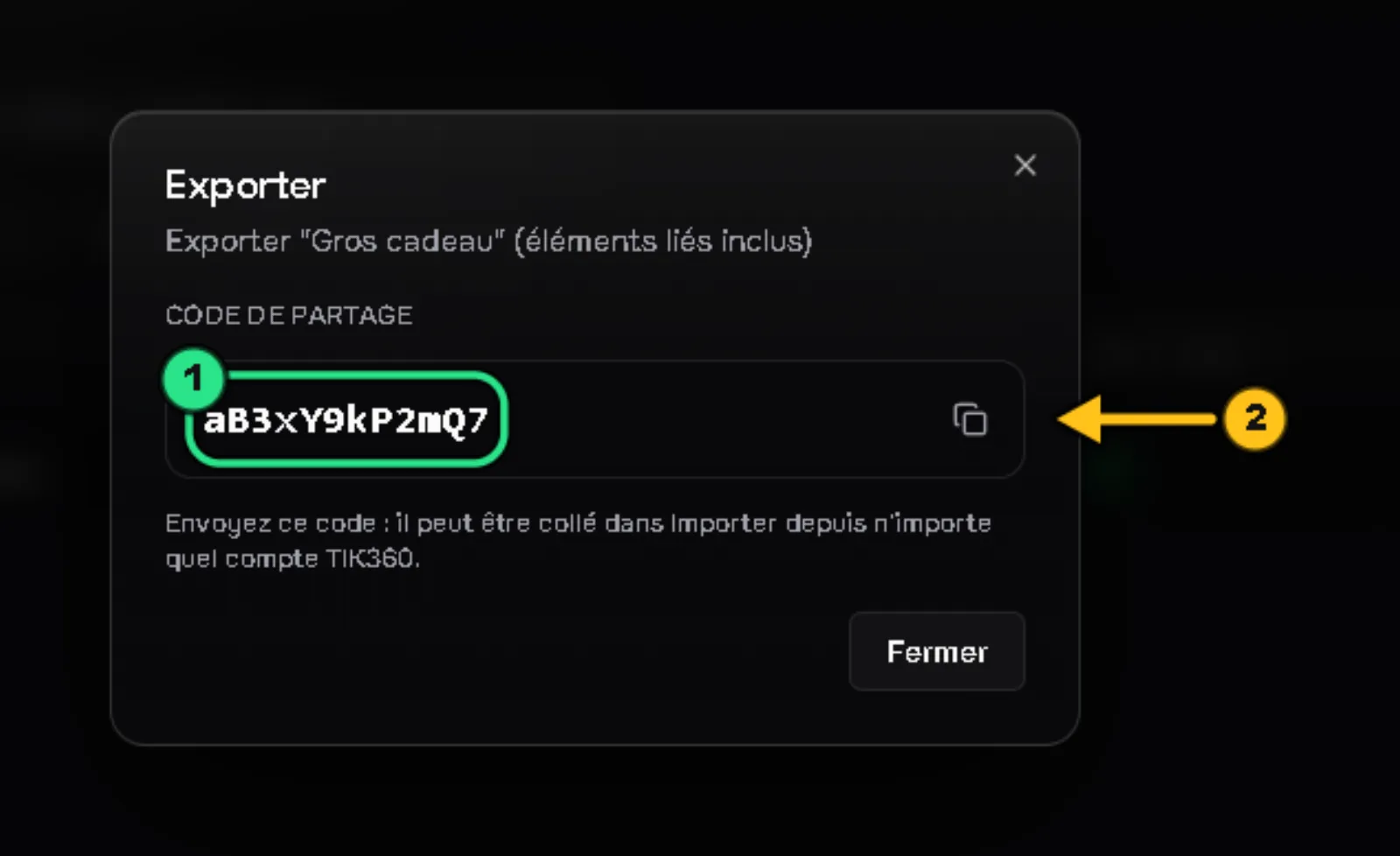
Copy the 12-character code ① with the button ② and send it.
3. Import a code
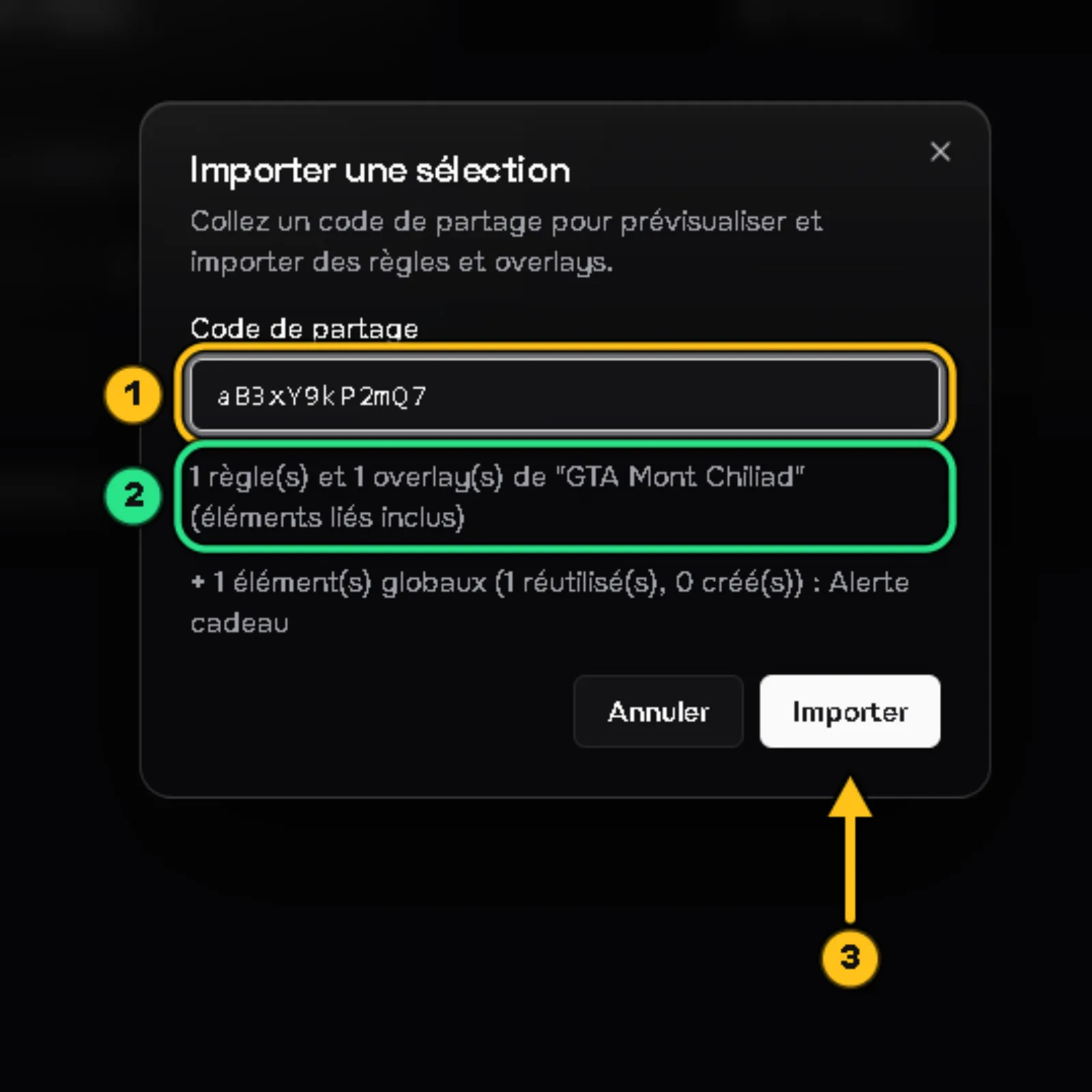
In the scene that should receive the items: Import → paste the code ①.
The preview ② lists what will come in: rules, overlays and global overlays (reused if they already exist, otherwise created). Click Import ③.
✅ Result: the rules and overlays arrive in the scene with everything they need.