Global overlay or scene overlay?
You know where to create each overlay so it shows up at the right time.
Screenshots are still in French for now; the bold names in the text are the ones from the English app.
⏱️ 2 min
The question to ask yourself: “Should this overlay follow a single scene, or all my lives?”
🌍 Global overlay: it's used in all your scenes.
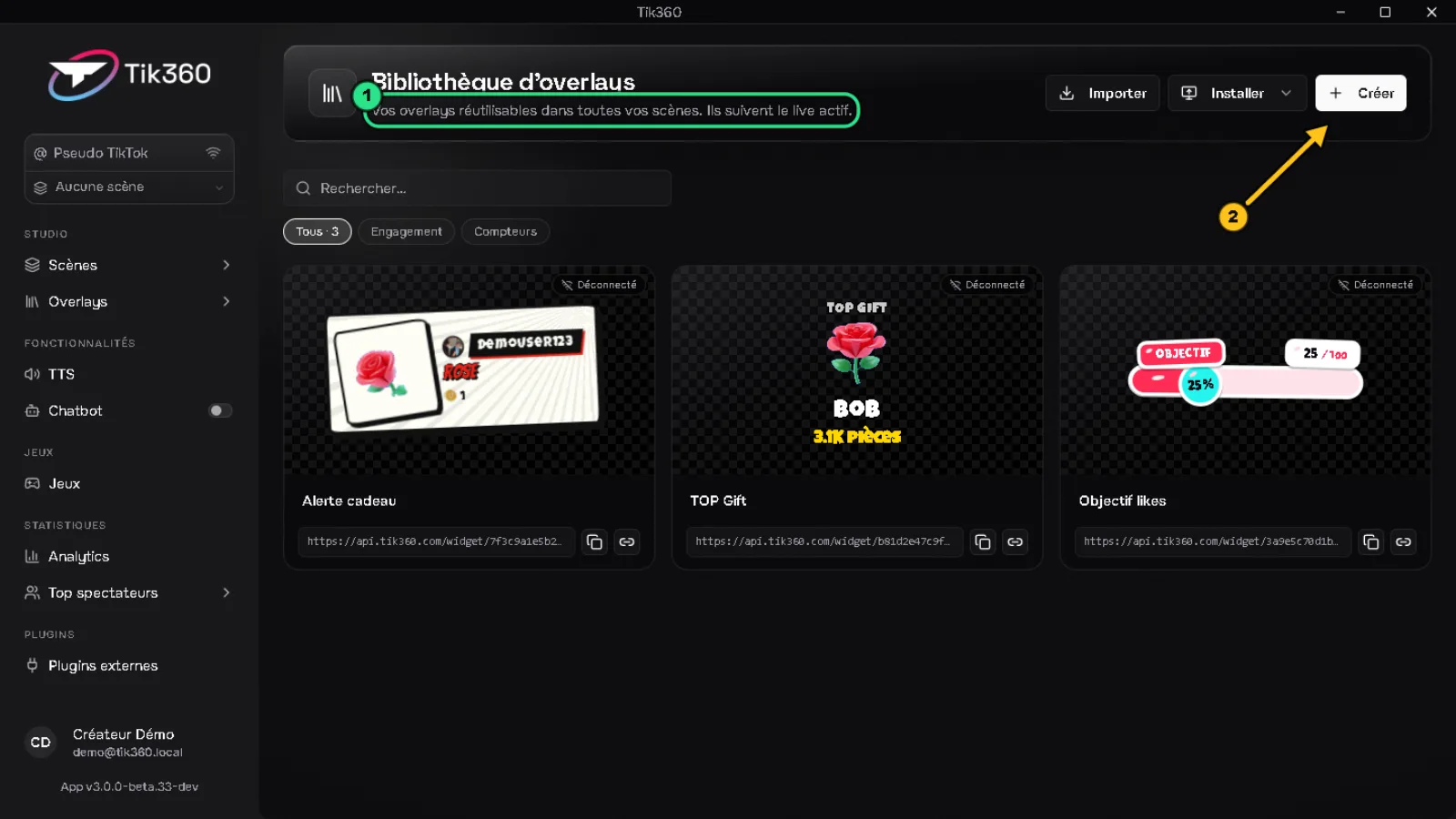
Create it from Overlays → Gallery: the page says it at ① “They follow the active live”. Create button ②.
Examples: gift alert, follow alert, likes goal, TOP Gift.
🎬 Scene overlay: it only exists in one scene.
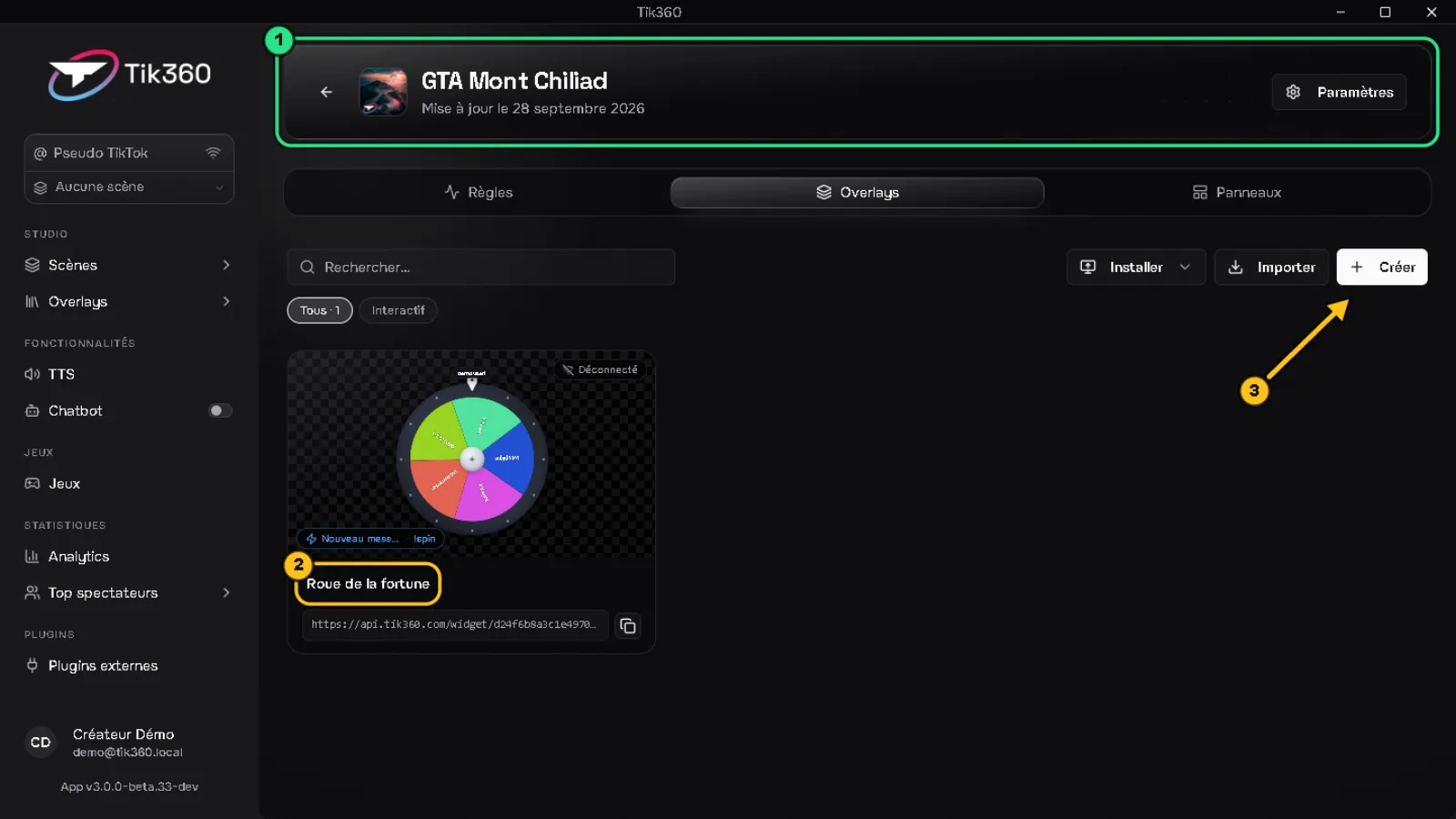
Open the scene ① → Overlays tab: the overlay ② belongs only to it. Create button ③.
Examples: the wheel for your GTA night, the crate for your Minecraft live.
📡 During the live
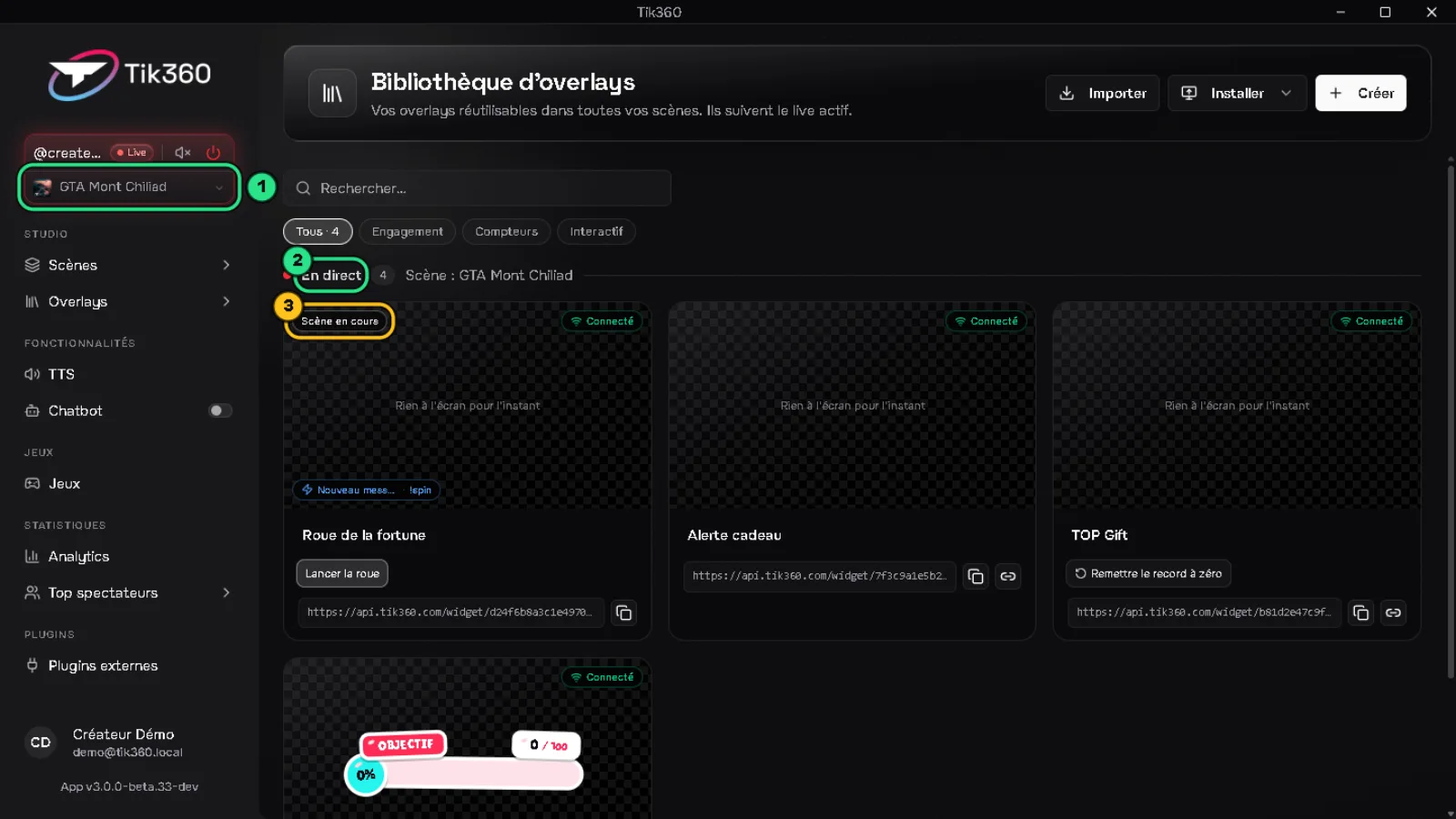
The Gallery shows at the top Live ② the overlays used by the scene chosen in the Live control ①. Those that come from the scene carry the Current scene badge ③. Overlays from other scenes don't react.
💡 When in doubt, create the overlay as global: you find it everywhere and you only have one source to install in your streaming software.
📺 More details in the video Create your first interaction: a Rose sends you to jail.