Add multiple reactions to a rule
A big gift spins the wheel, plays a fanfare and reads out a thank-you, all in a single rule.
Screenshots are still in French for now; the bold names in the text are the ones from the English app.
Prerequisite: a scene with a lucky wheel · ⏱️ 4 min
1. The trigger
New rule → Gift received → Value tab → ≥ 100 coins.
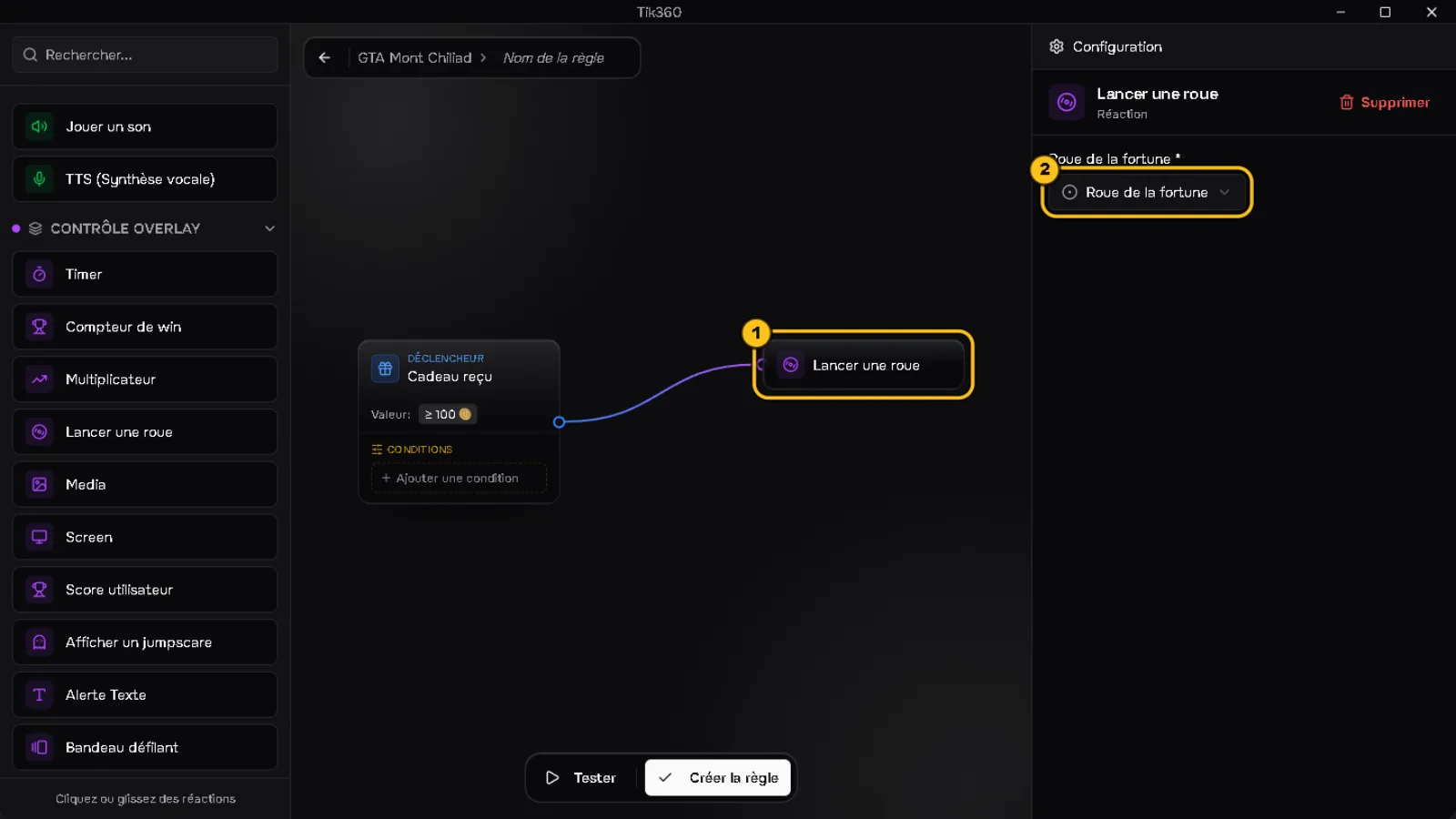
2. First reaction: the wheel
Click Spin a wheel ① and choose your wheel ②.
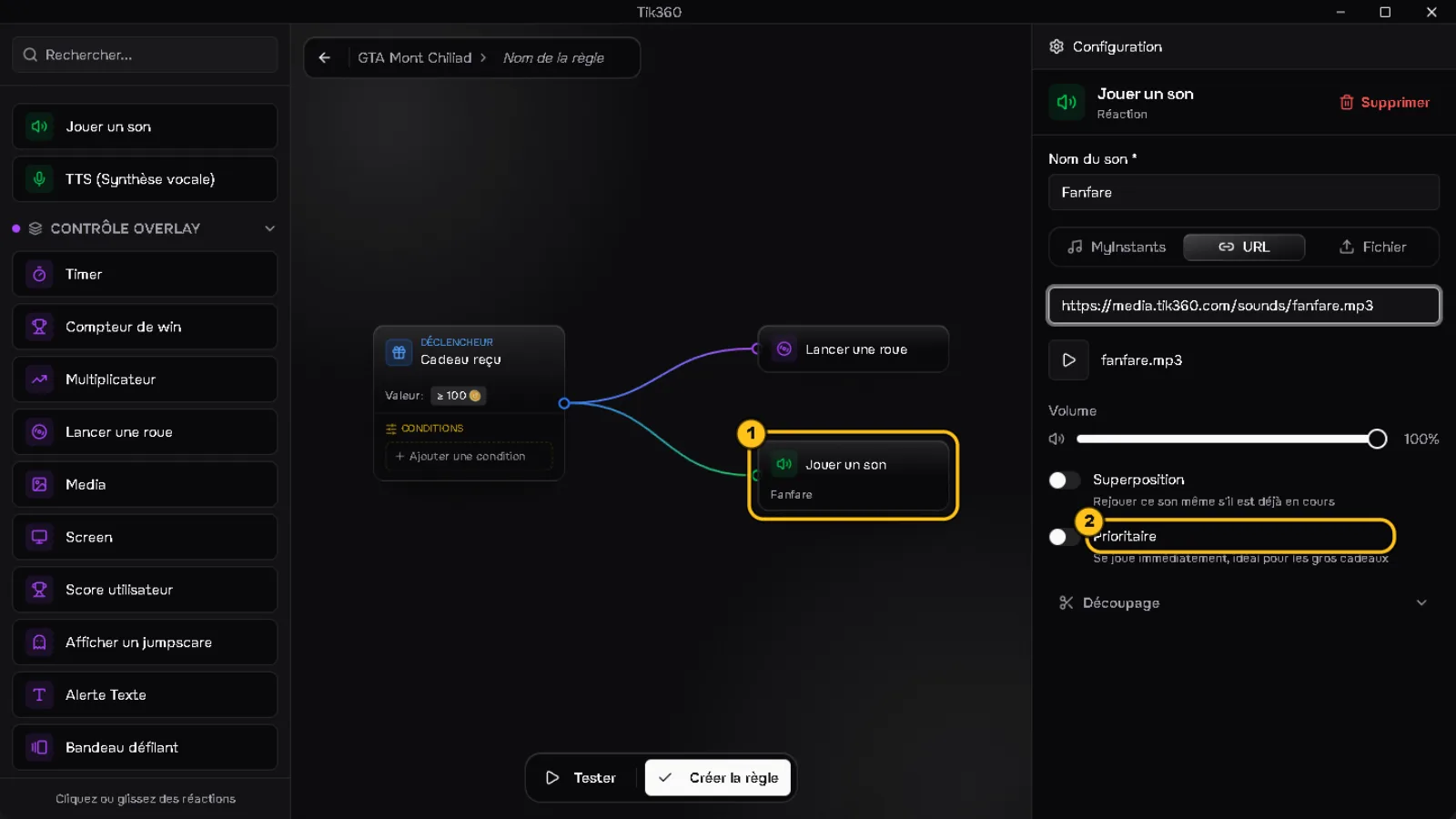
3. Second reaction: a sound
Click Play sound ①, name it and paste its link. Turn on Priority ② so it plays ahead of the other queued sounds.
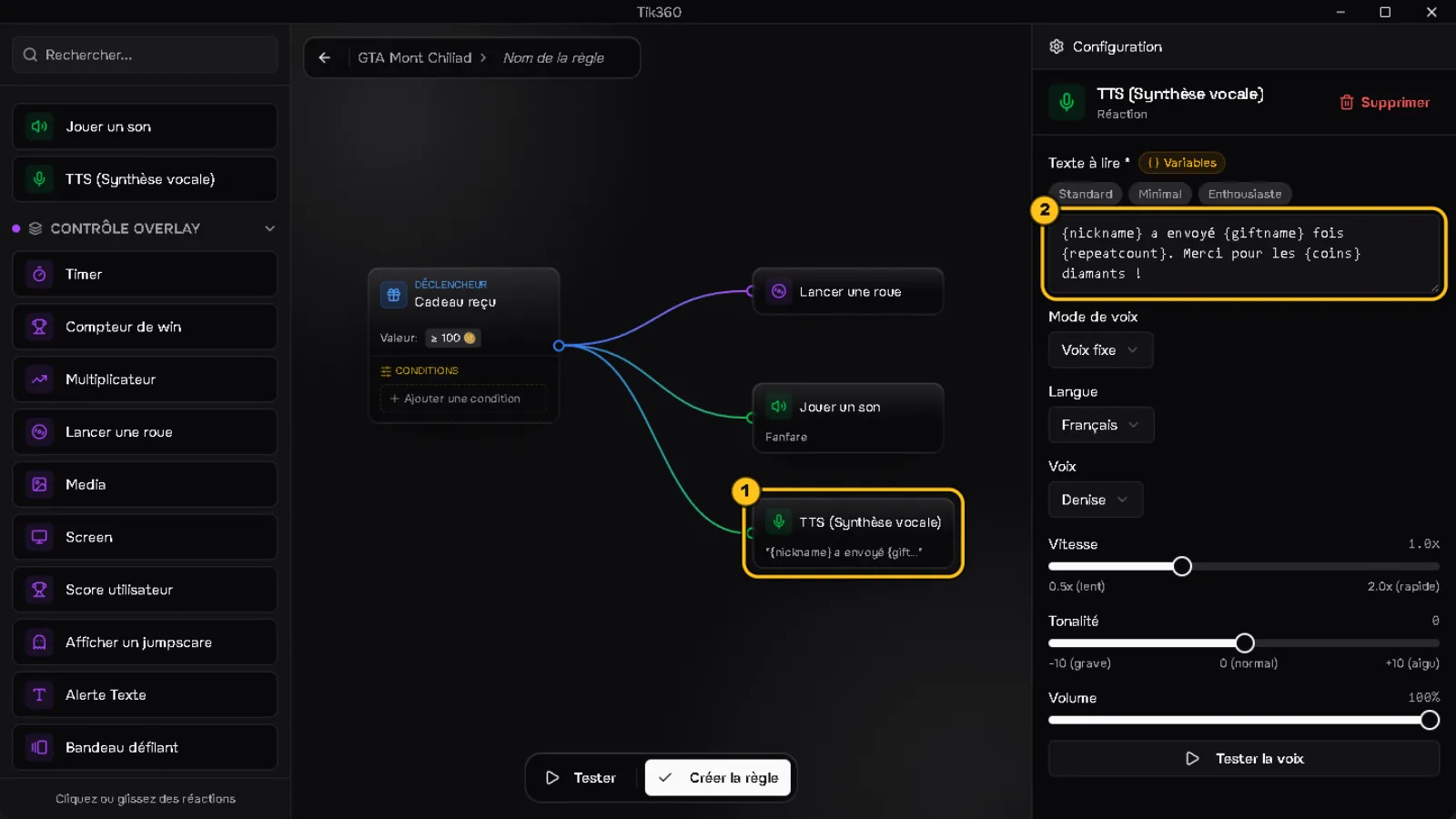
4. Third reaction: TTS
Click TTS (Text-to-Speech) ① then a template (Standard, Minimal, Enthusiastic): the text fills in with variables ② that you can edit.
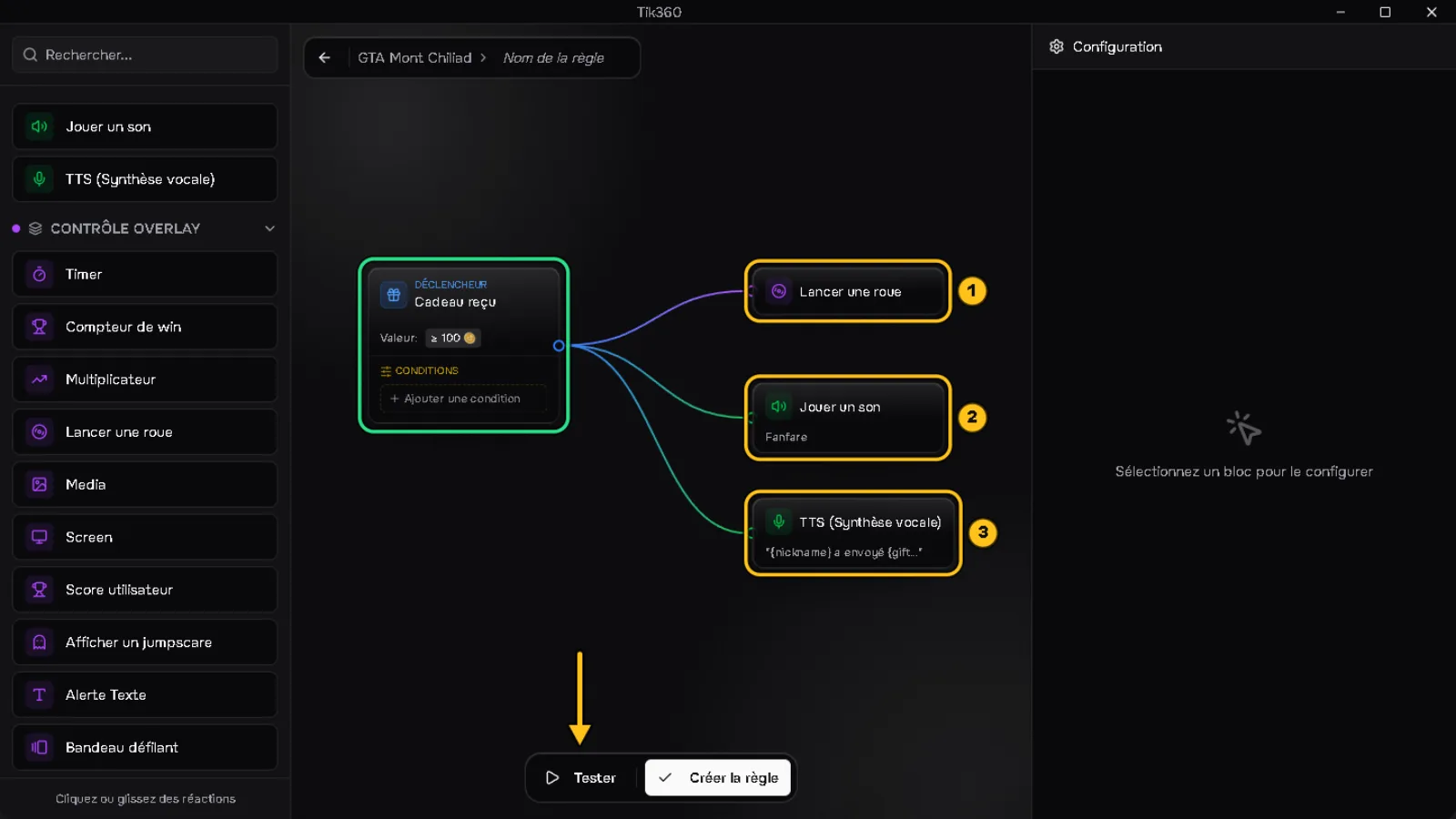
5. Check and test
Each reaction is connected to the trigger ①②③. Click Test, then Create rule.
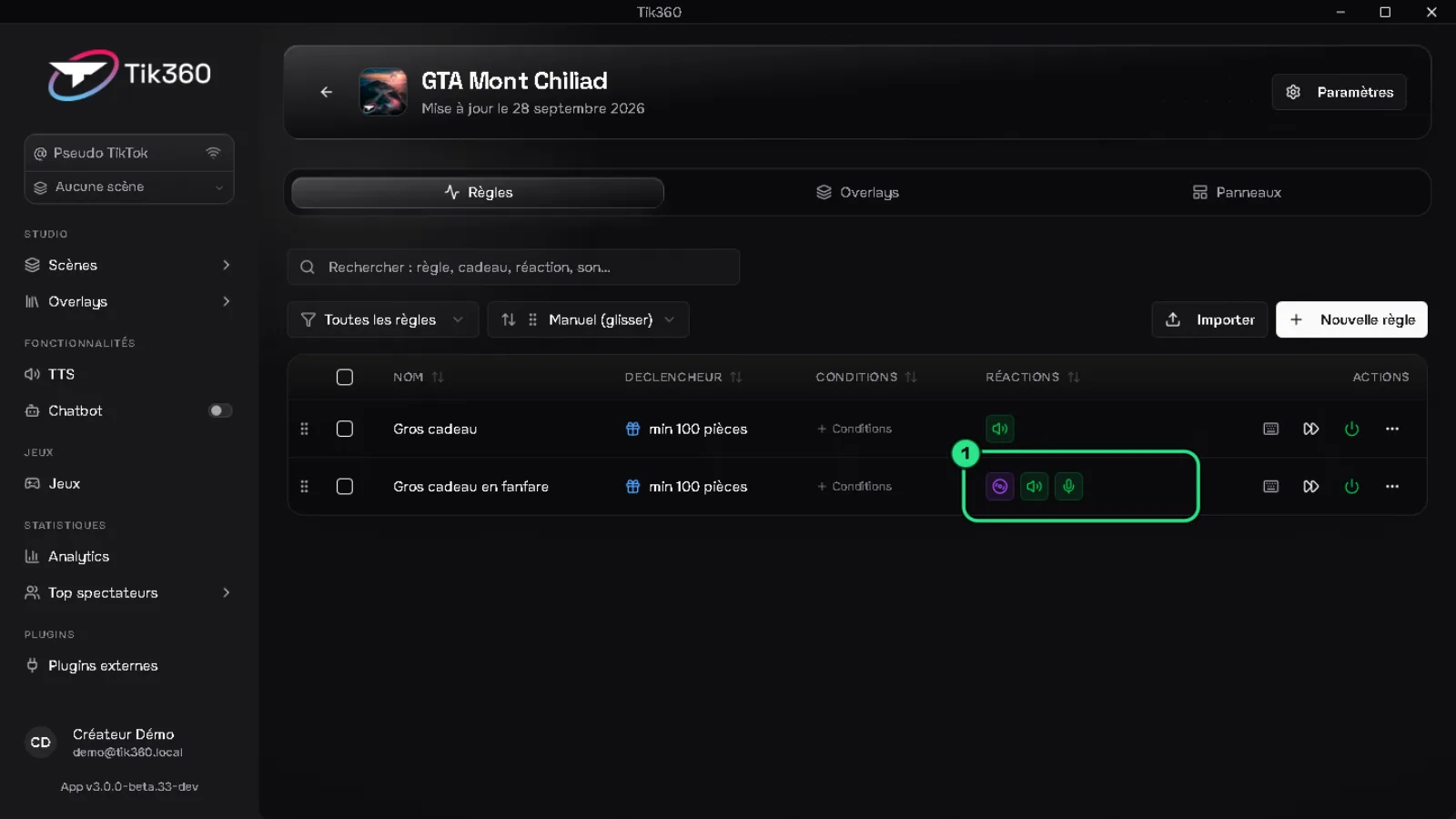
✅ Result: the rule shows its three reactions ① in the list.
⚠️ All the reactions of a rule fire at the same time. There is no delay between them.
To chain "after" (e.g. a sound when the wheel stops), use the overlay flow: tutorial 06.