Cooldown, combo and anti-spam filters
Your rule only triggers when you want it to, even when the chat goes wild.
Screenshots are still in French for now; the bold names in the text are the ones from the English app.
Prerequisite: a rule with the Gift received trigger (tutorial 01) · ⏱️ 3 min
1. Minimum combo
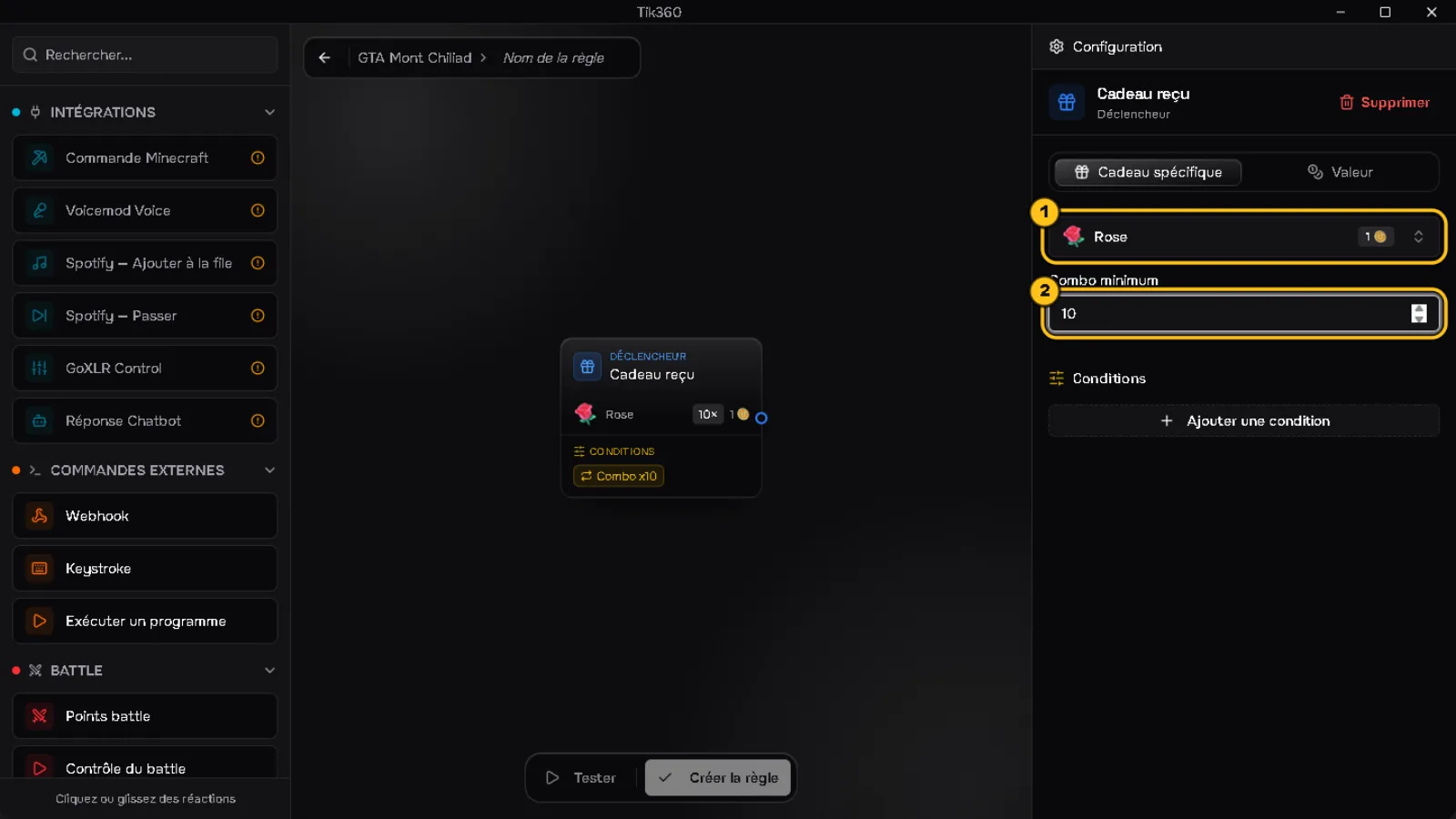
With Specific gift, choose the gift ① and fill in Minimum combo ②: the rule triggers at every step of that number within a combo (with 10: at 10 Roses in a row, then at 20, 30…).
2. Coin value
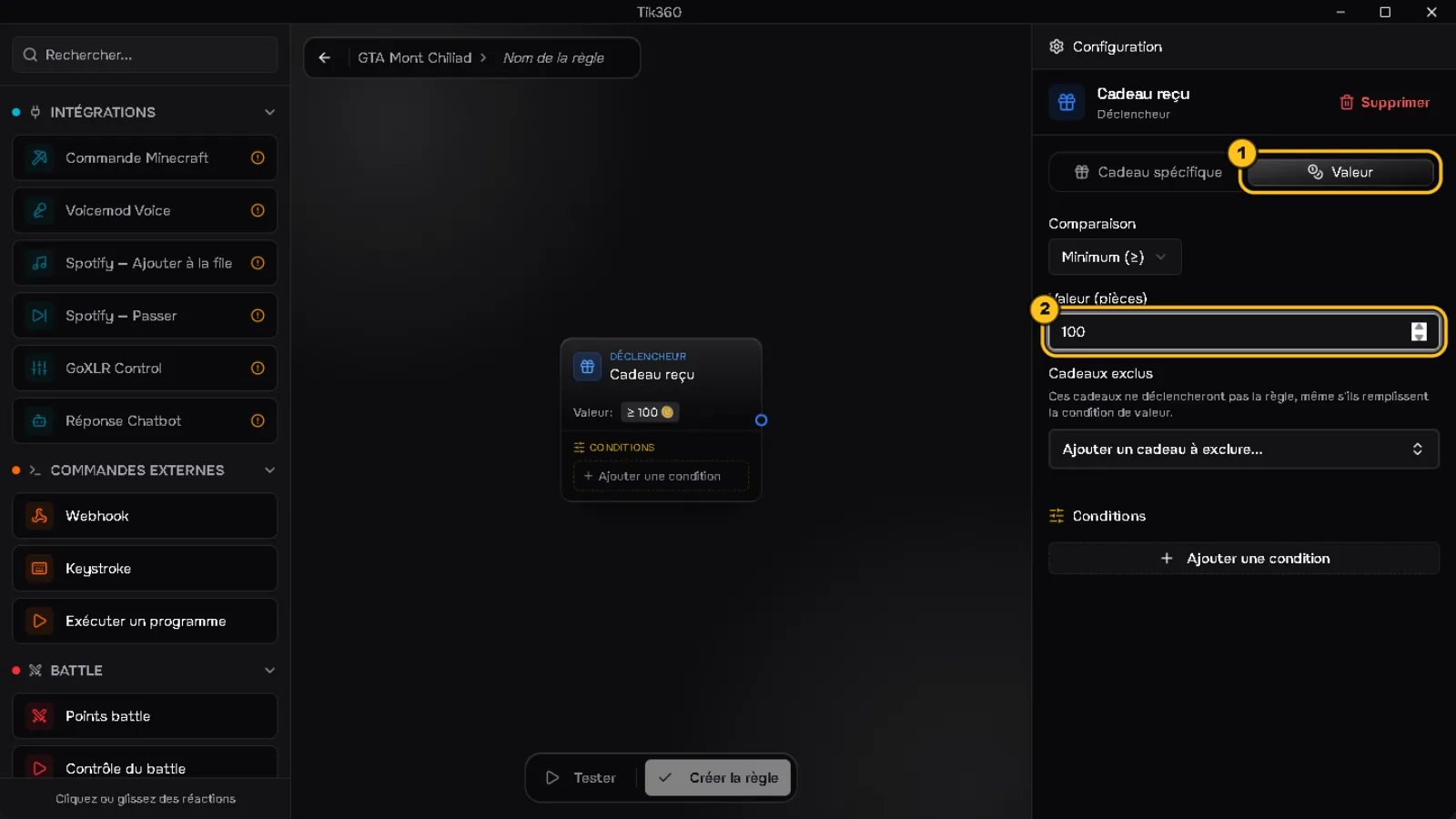
Value tab ①: choose the comparison (Minimum, Maximum, Equal or Between) and the number of coins ②. Example: ≥ 100 to only react to big gifts. Excluded gifts removes specific gifts from the rule.
3. Anti-spam conditions
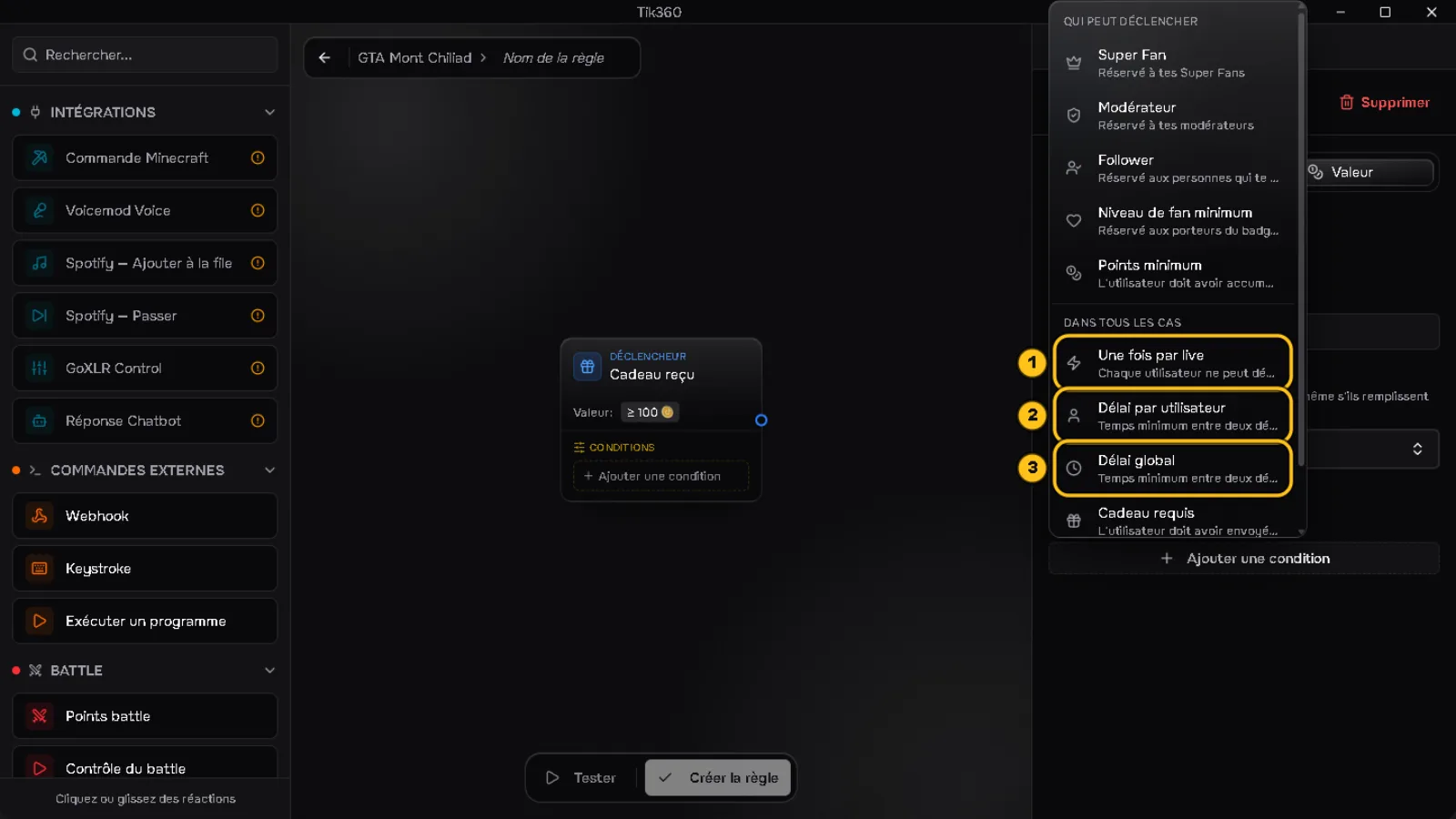
Click Add a condition:
① Once per live: each viewer can only trigger the rule once.
② Per-user cooldown: minimum time between two triggers by the same viewer.
③ Global cooldown: minimum time between two triggers, all viewers combined.
4. Set the cooldown
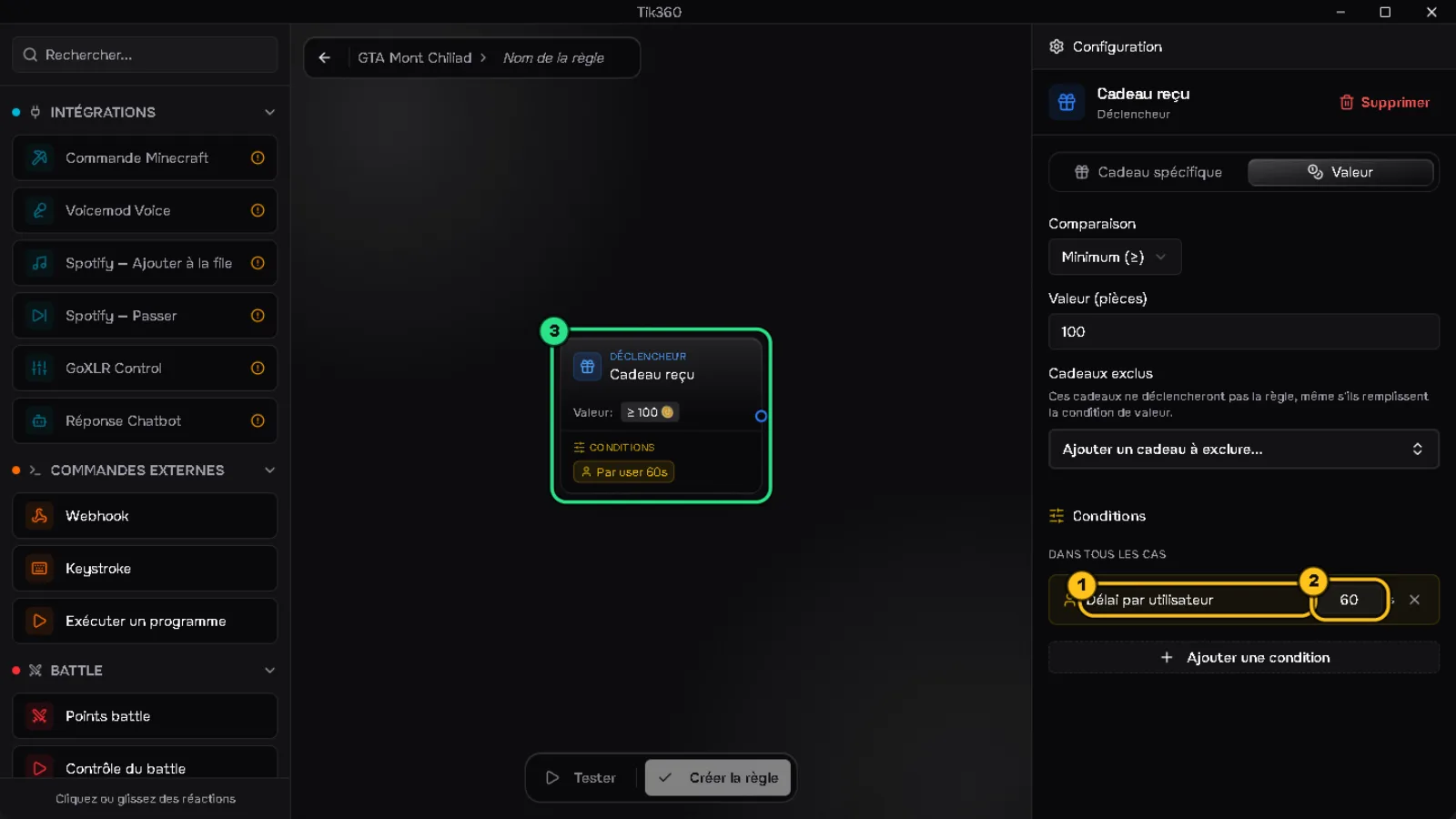
The condition appears ① with its duration in seconds ② (60 s by default). The trigger block shows it too ③.
📋 Three typical settings
- Rose thank-you → Specific gift Rose + Per-user cooldown 30 s
- Big gift → Value ≥ 100 coins, no cooldown
- Sound for a very active chat → Global cooldown 10 s
✅ Result: the rule stays responsive without repeating in a loop. Remember to click Save (or Create rule).